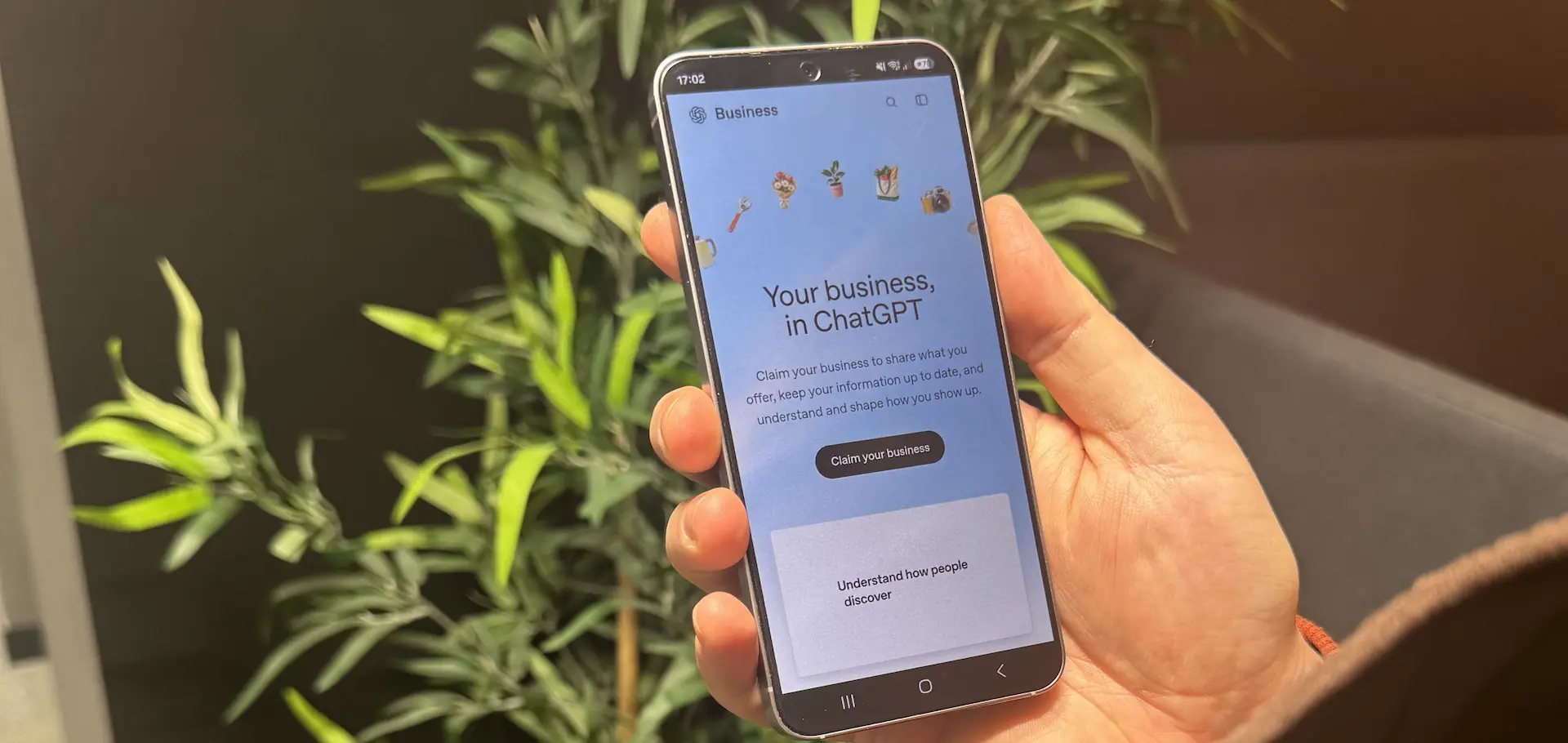

More and more people now use ChatGPT to research products, compare services and decide who to buy from. Until now, businesses have had no official way to see how they appear in ChatGPT’s generated results or to control the information ChatGPT holds about them.
That changed on 10 November 2026, when OpenAI Beta launched Businesses in ChatGPT. Its new Business Hub lets eligible organisations claim their business, manage their information and see first-party data on how people find and engage with them in ChatGPT.
It isn’t a like-for-like replacement for Google Search Console. There’s still a higher volume of traffic on traditional search that you need to be tracking but AI is growing rapidly and you now have a way to track how your business is performing there too. Think of this as a significant first step towards the visibility marketers have been asking for to give them more confidence in AI search (or as we like to call it best practice SEO).
What Business Hub gives you
A verified business profile
You can claim your existing ChatGPT listing (or create one if you’re eligible) and manage key details including:
- Your company name, website and description
- Products, services and business categories
- Logos and imagery
- Delivery and returns policies
- Product pricing and availability
Verified businesses display a blue checkmark. This also means you’re now responsible for keeping the information you give AI platforms accurate and up to date.
Visibility and engagement data
The Insights dashboard reports on three things:
- Mentions: how often ChatGPT references your business
- Website clicks: how many people click through to your site from ChatGPT
- Discovery topics: the subject’s people are asking about when your business appears (can we get a hallelujah!)
Discovery topics are particularly useful. They show which parts of your offer are being found through AI and which aren’t. Data covers the previous 28 days and is aggregated to protect user privacy.
Product feeds and Business Agents
Retailers in the US can connect product feeds so ChatGPT has accurate descriptions, prices and stock information.
OpenAI has also launched Business Agents. These are AI assistants that answer customer questions on behalf of a specific business, using information that business provides. At launch these are only available to eligible US ecommerce and online service businesses but expect this to be in the UK by early 2027.
How to claim your business
The process is straightforward but involves two rounds of verification.
Go to chatgpt.com/business-hub and sign in or create a ChatGPT business account. You don’t need an ad account or anything more than the free model.
Search for your business and select the correct listing. Double check you’ve got the right one or else the next step won’t work.
Verify your connection to the business using your business email, business phone, or a DNS record on your website domain. If your web team already manages your DNS, domain verification is usually the simplest route.
Complete identity verification once OpenAI approves your claim. There’s no reliable timeline for when you’ll get a decision but allow up to 5 working days for your claim to be processed. Persona verification will follow and may require ID, business registration details and proof you’re authorised to act for the organisation. You can’t publish changes or see analytics until this is done.
Review your profile and make sure your description clearly explains what you do, who you serve and where you operate. Write it for people, not for keywords.
Open Insights and record your starting figures, even if they’re low. Some metrics may not show straight away because of privacy thresholds.
Will this improve your ChatGPT visibility?
Not directly. OpenAI has been clear that claiming your business doesn’t guarantee more mentions or influence ChatGPT’s independent recommendations.
What it does do is make sure the information ChatGPT has about you is accurate, and give you data to make better marketing decisions. Treat it as a management and measurement tool rather than a shortcut.
Making the most of the data
Once you’re set up, the real value comes from what you do with the insights.
Check you’re being found for the right things
Compare your discovery topics with the products and services that matter most to your business. If you have real expertise in an area but little visibility, that’s a sign your website may not be explaining it clearly enough.
Compare it with your existing analytics
If you already track ChatGPT traffic in GA4, set it alongside Business Hub’s click data. The figures won’t match exactly, as they’re measured differently, but they should move in the same direction.
Make your website easier to understand
Clear, well-structured content helps customers and AI alike. Your site should spell out what you offer, who it’s for, the problems you solve, what makes you different and any industry or location specialisms.
Add it to your regular reporting
Rather than treating AI search as something separate, include Business Hub metrics in your existing SEO and acquisition reviews.
If you work with us or another agency, you can grant Business Hub access to external users without sharing your login details. We expect this to become a standard part of onboarding, just like Google Search Console and Google Business Profile.
What to do this week
- Check your eligibility and look for your listing in Business Hub
- Complete verification and make sure the right person or team owns the profile
- Audit your business information for accuracy and clarity
- Connect product feeds if you sell online (in the US)
- Record your baseline figures and compare them with your current analytics
- Assign ongoing ownership so someone keeps the profile and reporting up to date
None of this requires a major change to your strategy. It simply gives you a foundation in a discovery channel that’s quickly growing in importance.
Our view
“This is the update we’ve been waiting for. Until now, businesses have been investing in AI search with very little hard data to show what’s being picked up by LLMs. Business Hub gives us first-party insight straight from ChatGPT, which means we can have far more confidence and make decisions based on evidence rather than guesswork. Our advice to every client is to claim your business and verify it, and for our SEO clients, give us access so we can start reporting on performance. Once we establish a baseline of where you’re starting from, the easier it will be to track organic improvements related to work carried out. What we hope comes next is a similar level of granular tracking for ChatGPT ads.”
Josh Locke, Marketing Manager, Harrison Carloss